Writerphernalia home

Journalography A quiet place to write your days.

A simple daily journal for your phone and computer. Open it and today’s page is waiting. It saves as you type, and a calendar keeps every day close at hand. Your journal stays on your own device, with no account and no AI.

  • Free while in early access
  • Nothing to sign up for
  • Works offline
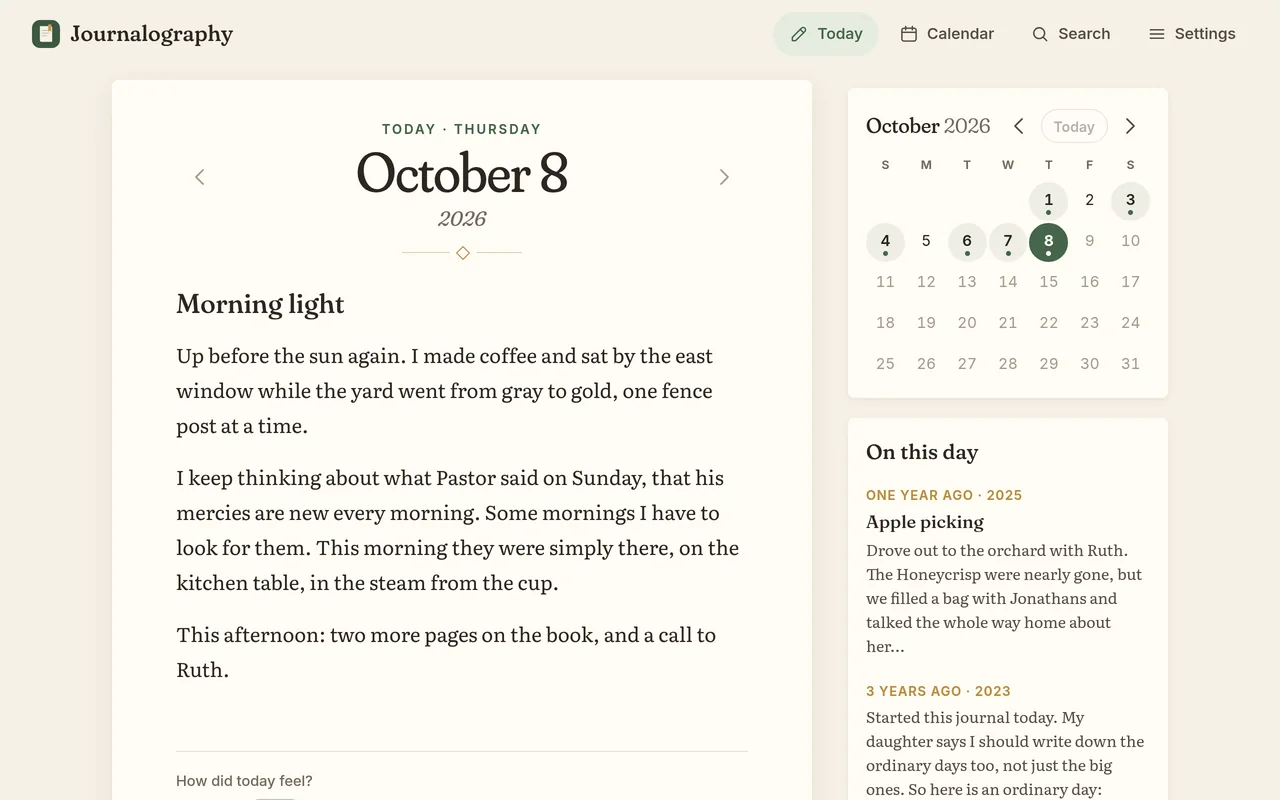
Journalography on a computer: today’s entry, titled Morning light, with a small calendar and On this day beside it
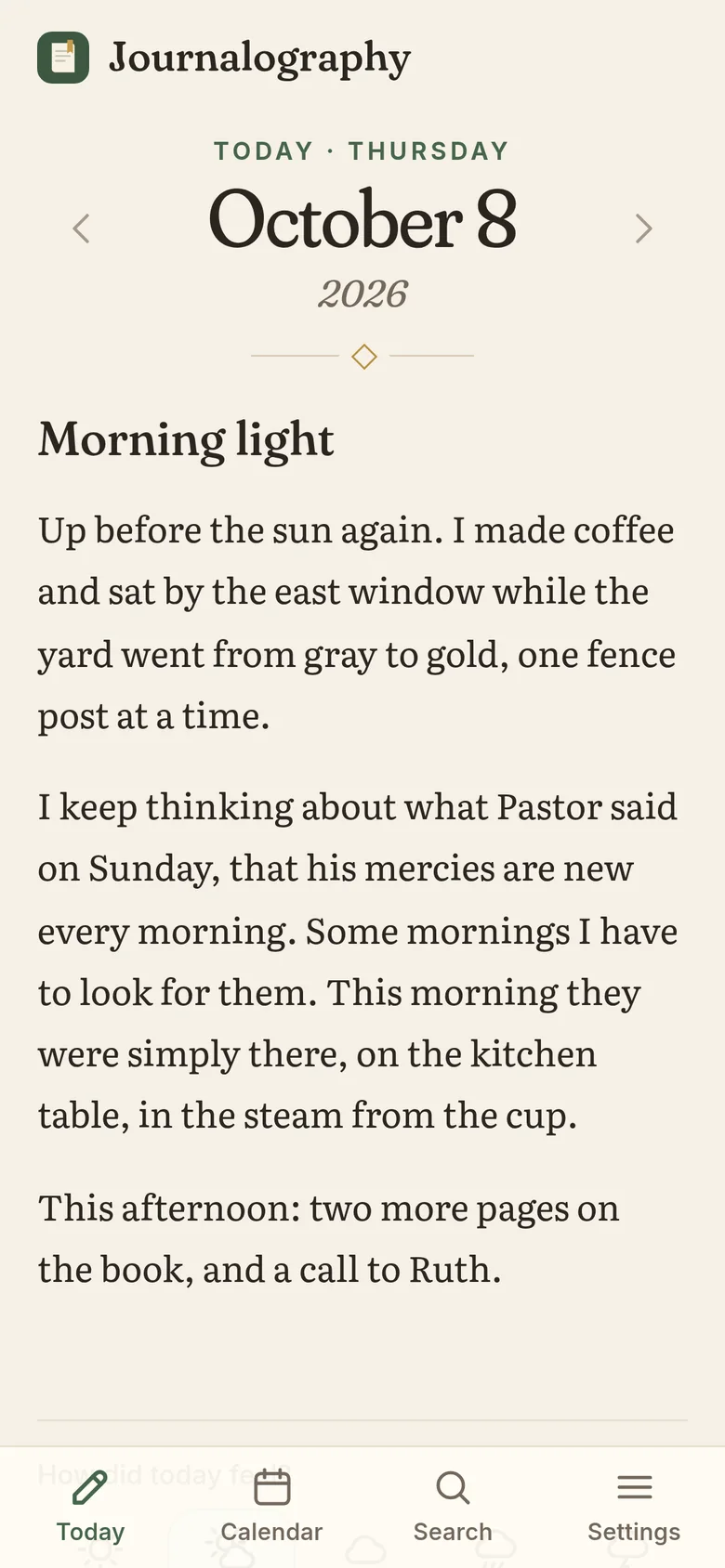
Journalography on a phone: today’s date, set large, above the day’s entry
What it’s like

Simple enough to use every day

Journalography does a few things and does them gently. There’s nothing to learn, so you can get straight to writing.

Opens to today, ready to type

There’s nothing to set up and nothing to find. Journalography opens on today’s date, set large at the top of a clean page. There’s no toolbar to fuss with, and every word is saved a moment after you pause.

  • Saves as you type, and again when you close it
  • Step to the day before or after with the arrows beside the date
  • Bold and italic with the usual shortcuts, Ctrl/⌘ B and I
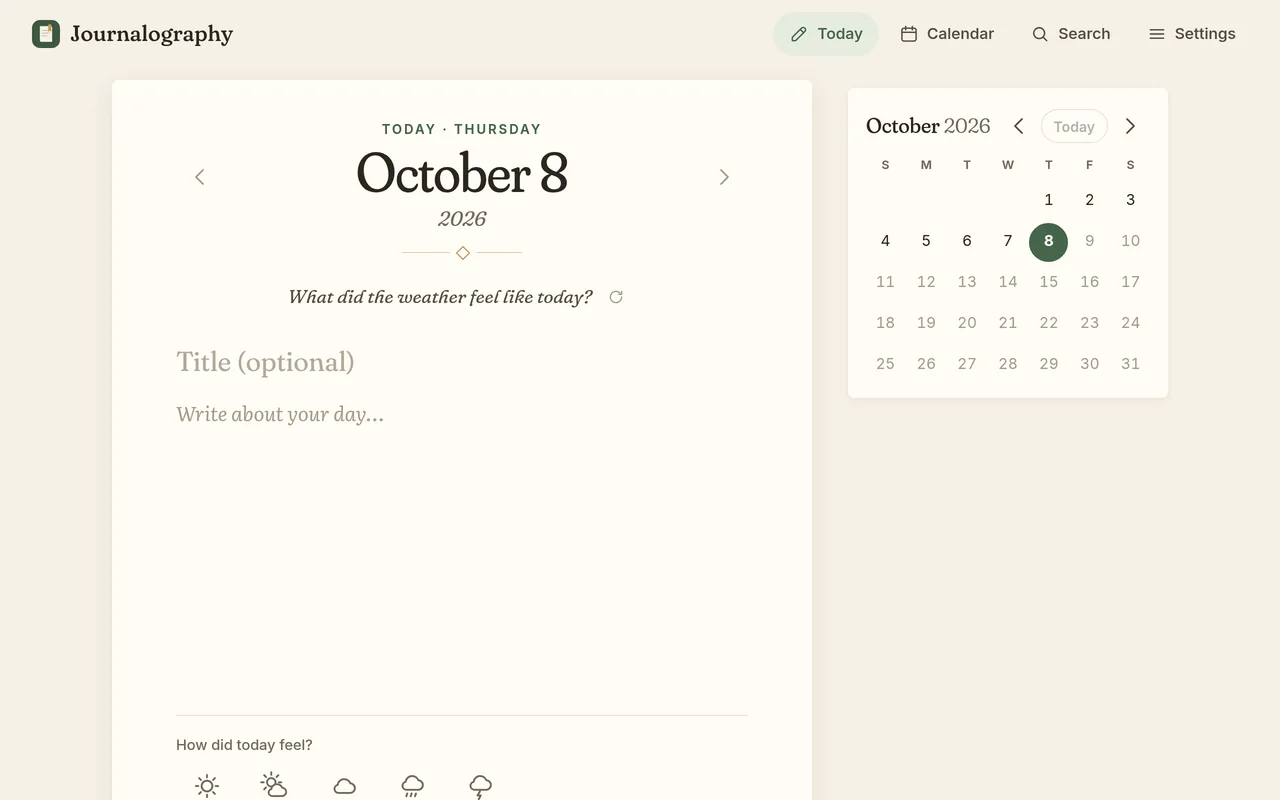
A fresh page for today, with an optional title, a gentle prompt and a month calendar beside it

A calendar that remembers

Each day you write in gets a soft dot on the calendar, so you can see your weeks and months at a glance. Tap any day to read it, or to write about it, even if it’s already gone by.

  • That month’s entries are listed below, with a short preview
  • Swipe between months on your phone, or tap Today to come home
  • On a computer, a small calendar sits right beside the page
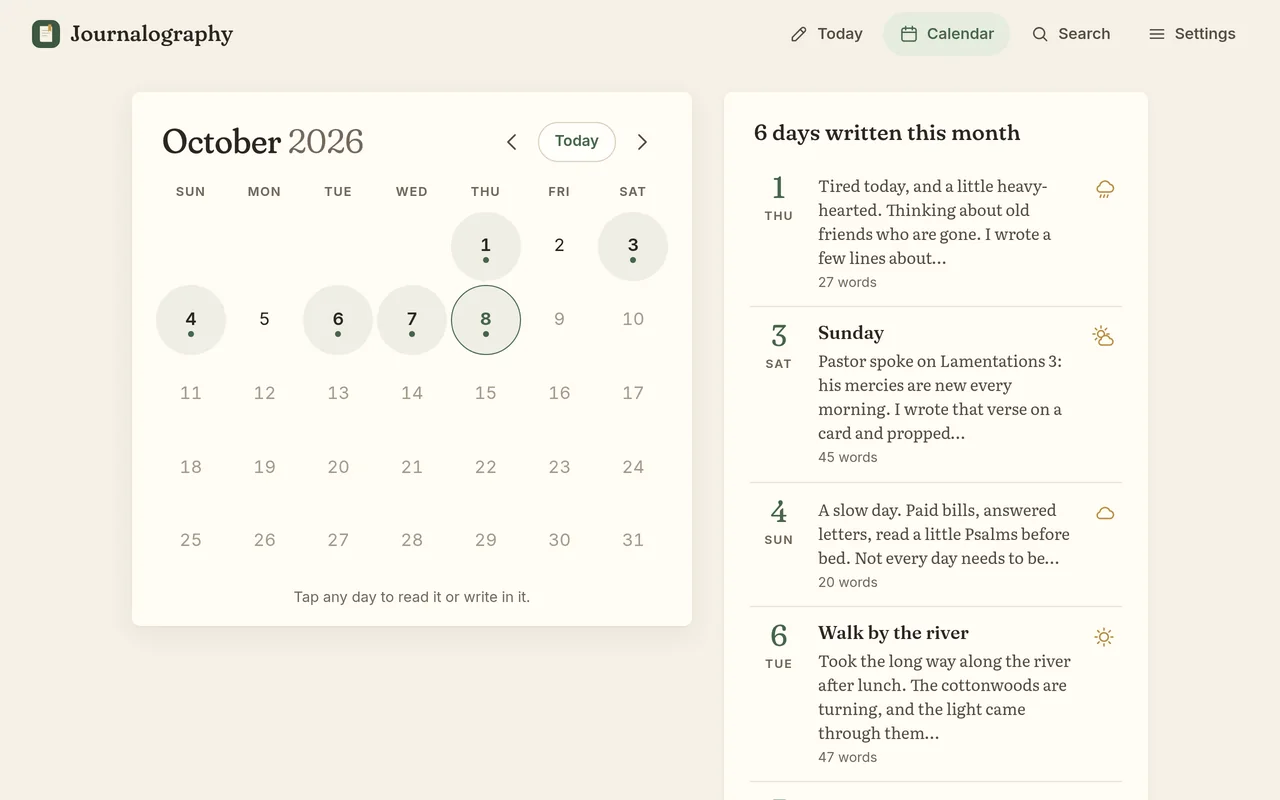
The calendar view on a computer: days with entries are tinted with a dot, next to a list of the month’s entries
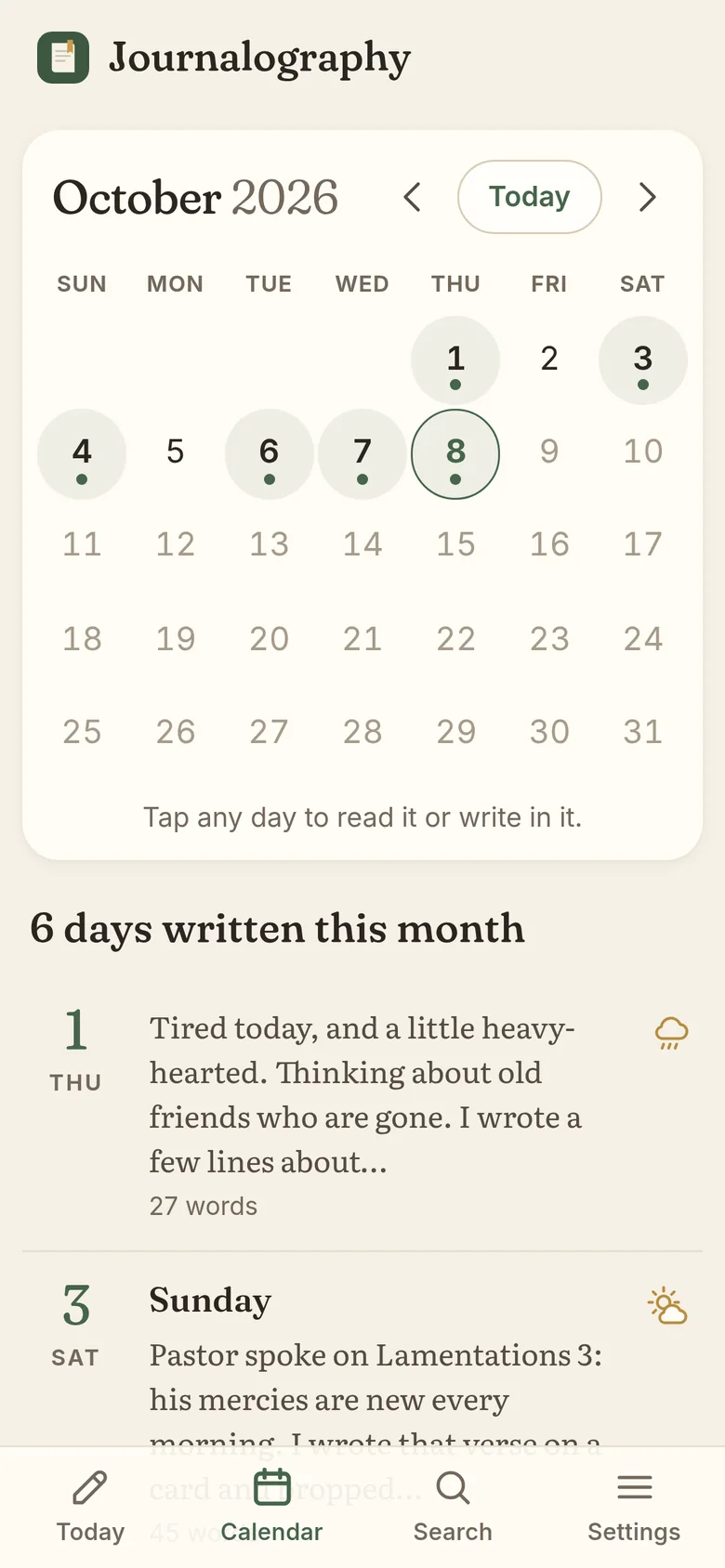
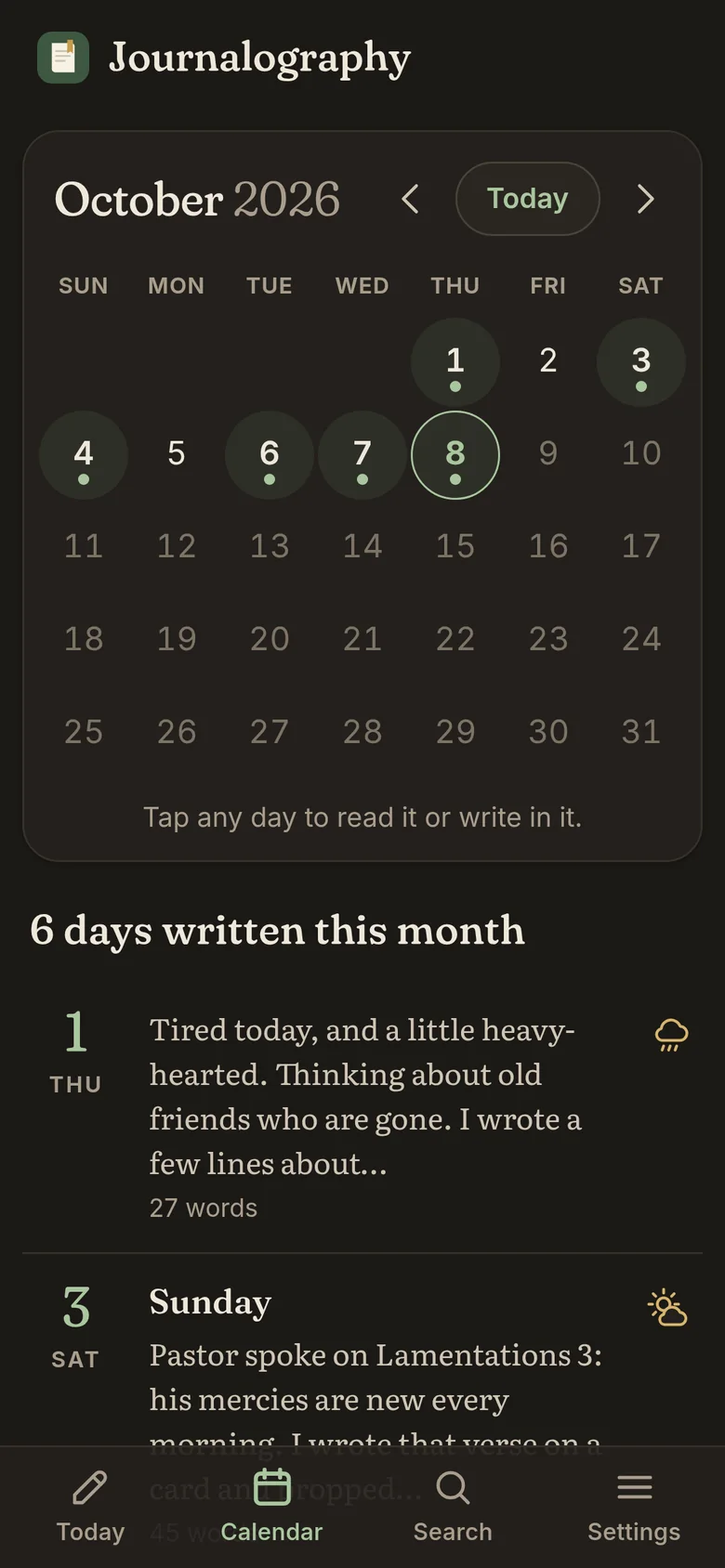
The calendar on a phone, with six days written this month

Small kindnesses, only if you want them

A few gentle extras are there when you’d like them. Each one can be turned off in Settings.

  • An optional title for the day
  • A one-tap mood, shown as five little weather icons, from Joyful to Hard
  • A soft writing prompt on an empty page, which steps aside as soon as you start
  • On this day, which shows what you wrote on this date in years past
  • A word count, if you like to keep track
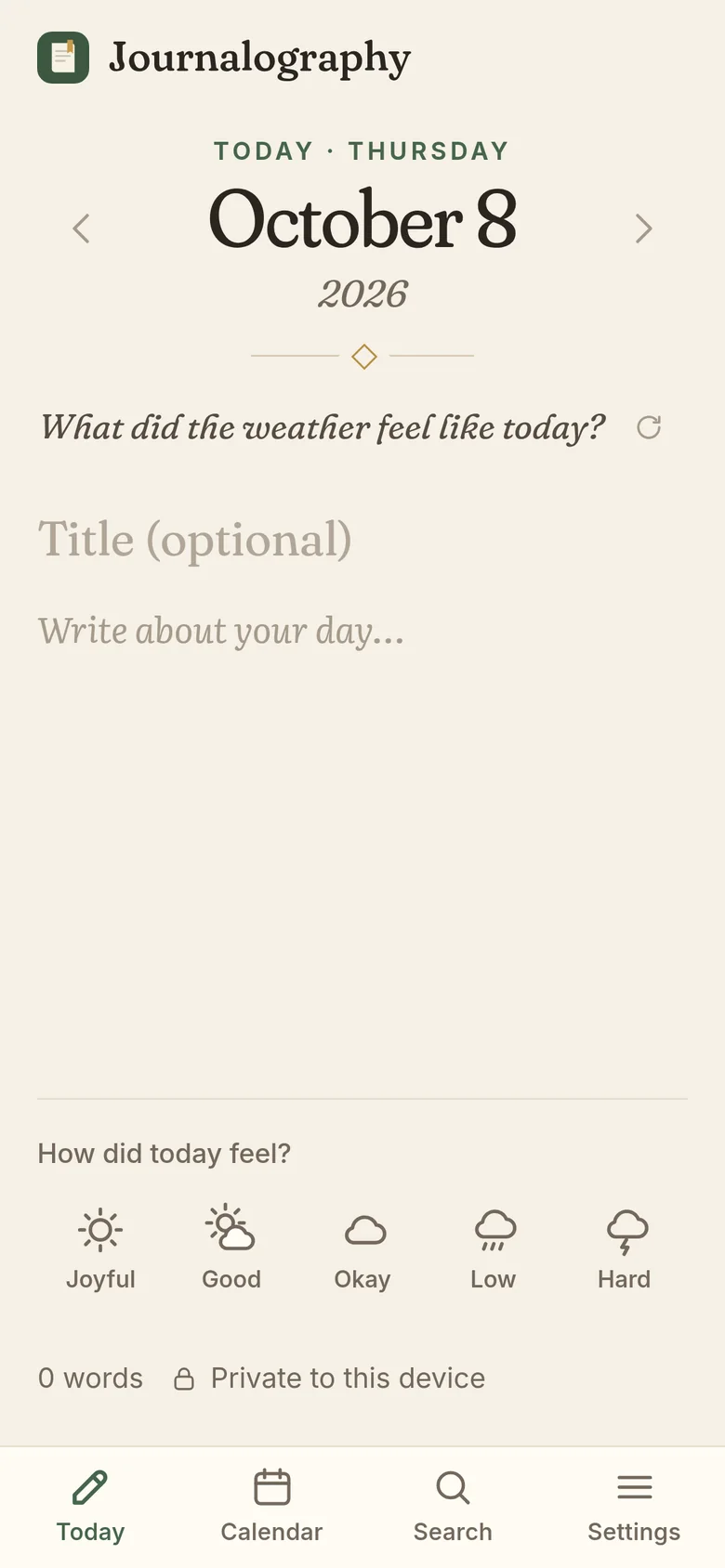
A new day on a phone, with a writing prompt, an optional title and the five mood icons

Find any day again

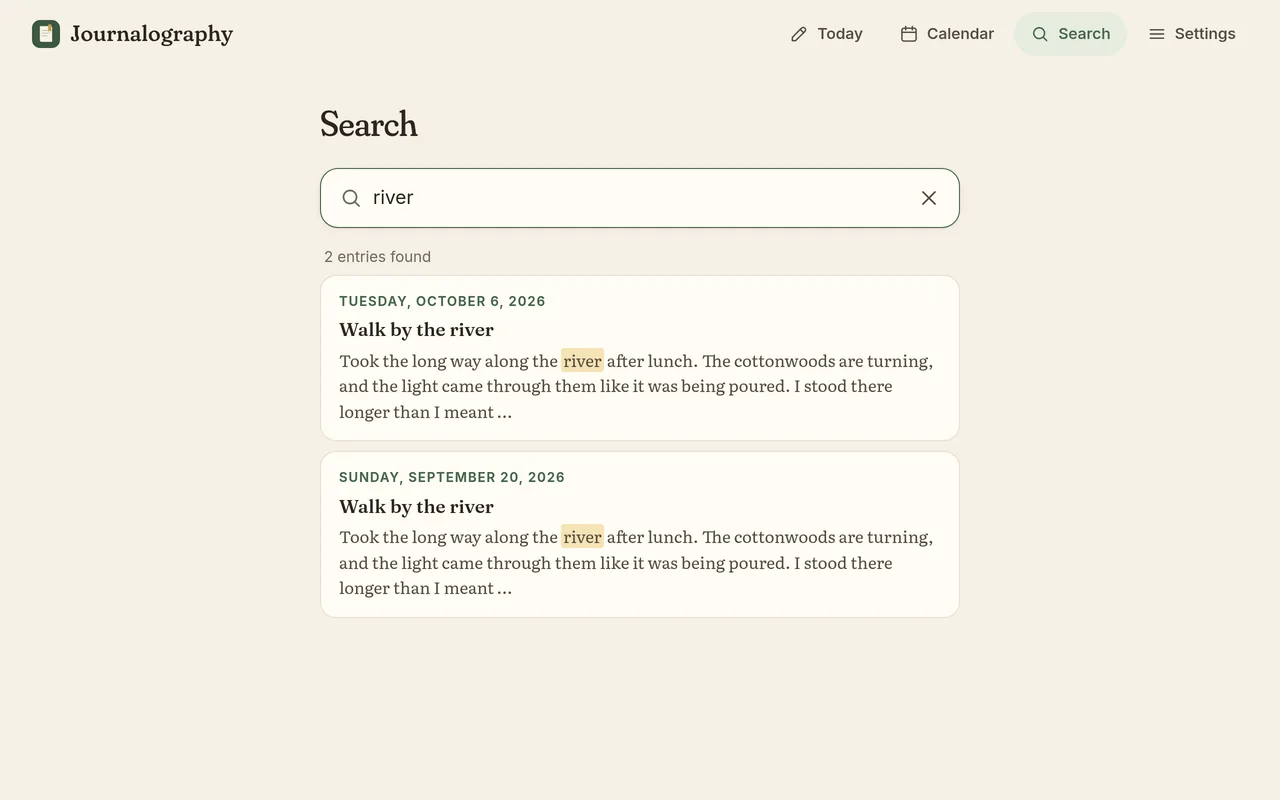
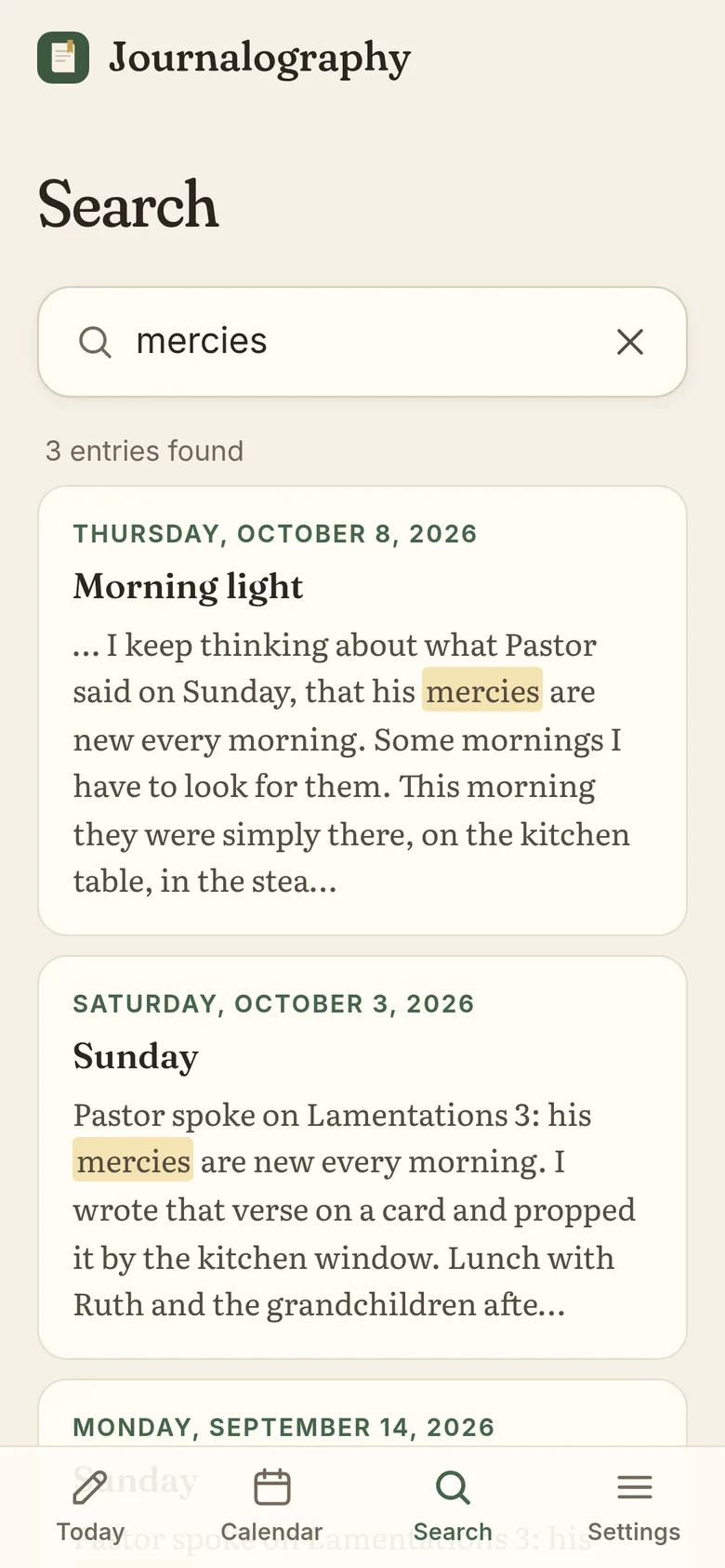
Remember writing about the river, but not when? Search looks through every title and entry at once. Type a few words in any order, and the matching days appear with your words highlighted. Capital letters and accents don’t matter.

Searching for “river” finds two entries, with the word highlighted
Searching for “mercies” on a phone finds three entries

Easy on the eyes, morning or night

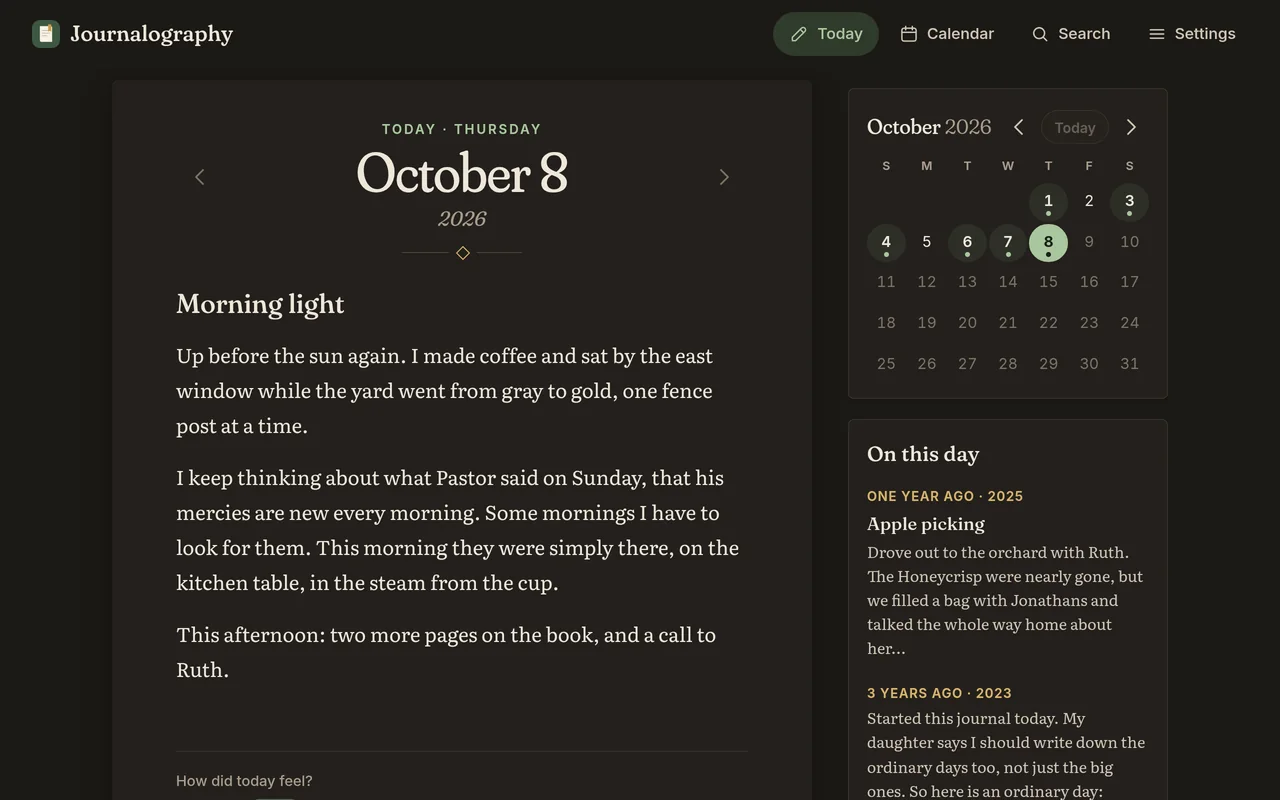
Choose a light page, a dark one for late evenings, or let it follow your phone’s setting. Pick from three text sizes, too, so reading back over your days is always comfortable.

Journalography in the dark theme on a computer
The calendar in the dark theme on a phone

Kept safe, and always yours

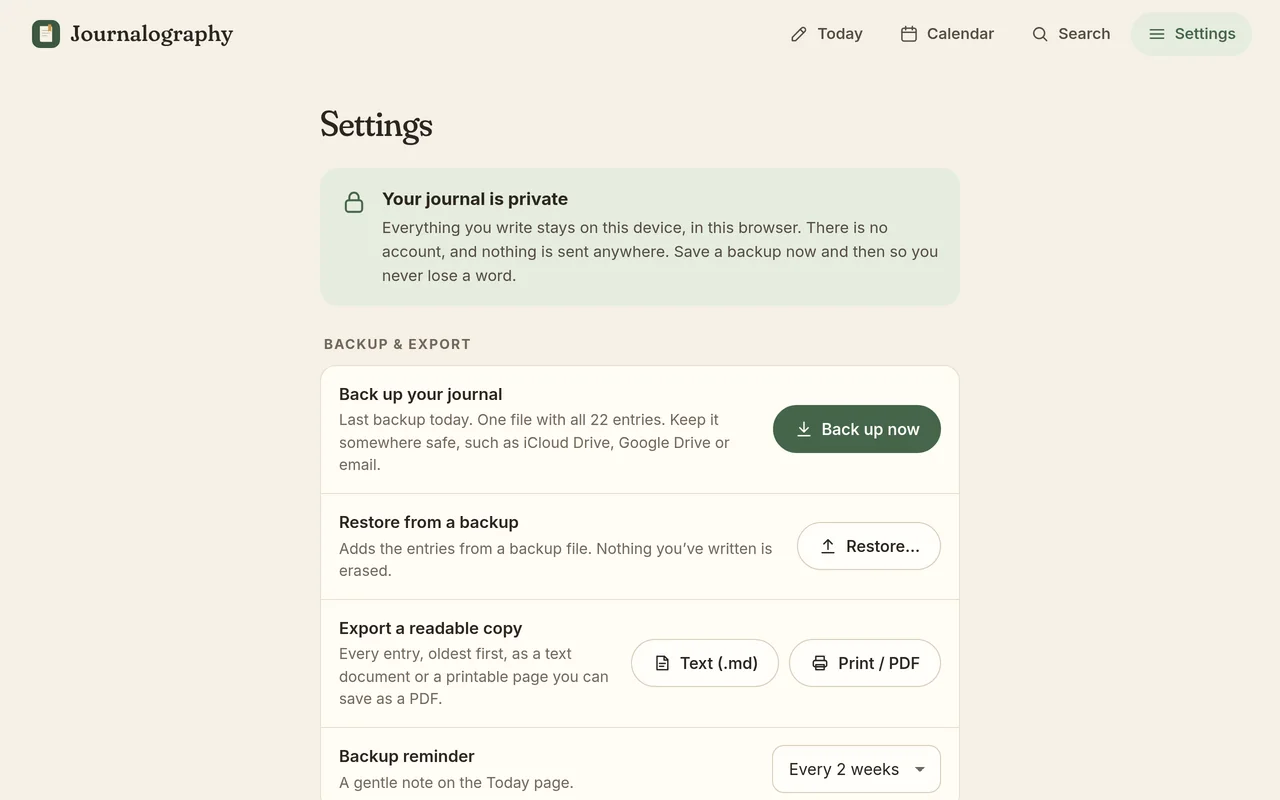
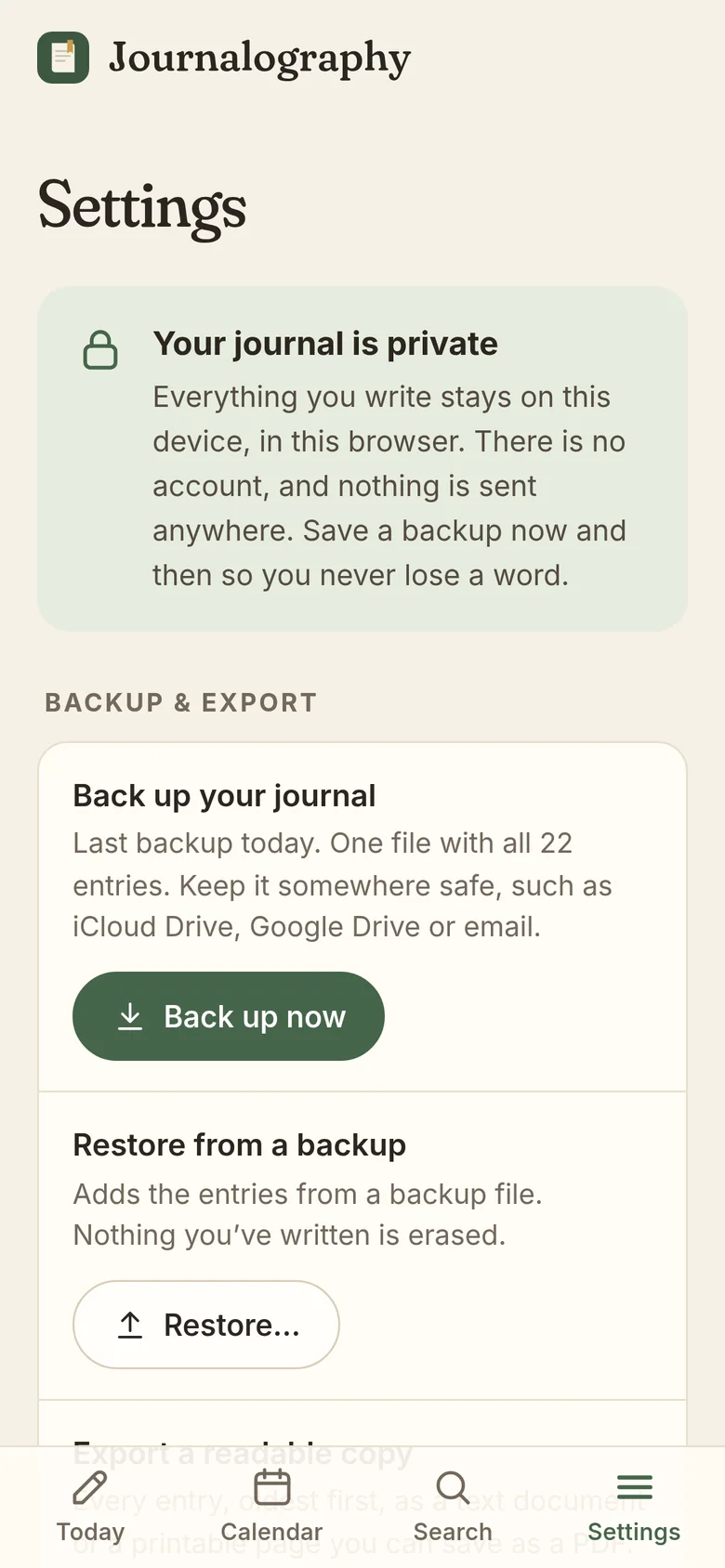
Save a backup whenever you like. It’s a single file you can keep in iCloud Drive or Google Drive, or email to yourself. Restoring one adds its entries back in without erasing anything.

  • Export everything as readable text, or print it and save it as a PDF
  • A gentle reminder to back up every one, two or four weeks, or never
  • Erasing everything takes a typed confirmation, so it can’t happen by accident
Settings: back up your journal, restore from a backup, export a readable copy, and choose a backup reminder
Settings on a phone, starting with “Your journal is private”
Private by design

Your journal is nobody’s business but yours

Journalography was built so it stays that way. There’s no company server holding your entries, because they never leave your device.

Stays on your device

Entries are kept in your browser on your own phone or computer. They’re never uploaded, so no one else can read them.

No account

Nothing to sign up for, no password to remember, and no email address to hand over.

No AI

Nothing reads, summarizes or rewrites what you write. Every word on the page is yours.

No tracking

No ads and no analytics, in the app or on this website. It works offline, too.

Install

Put it on your home screen

Journalography runs in your web browser, so there’s no app store and nothing to download. Add it to your home screen and it opens like any other app, even without the internet.

iPhone or iPad

  1. Open journalography.pages.dev in Safari.
  2. Tap the Share button, the square with an arrow pointing up.
  3. Choose Add to Home Screen, then tap Add.

On iPhone, adding it to your home screen also helps Safari keep your entries safe.

Android

  1. Open journalography.pages.dev in Chrome.
  2. Tap the ⋮ menu in the top corner.
  3. Choose Install app or Add to Home screen.

Computer

  1. Open journalography.pages.dev in Chrome or Edge.
  2. Click the install icon at the right end of the address bar.
  3. Journalography opens in its own window, and you’ll find it with your other apps.

On a Mac with Safari, choose File, then Add to Dock. Or simply bookmark it. It works in any modern browser.

Each phone or computer keeps its own journal. A backup file is how you move your entries from one to another.

Early access

$14.99, one time. No subscription.

Free while in early access. Purchases open soon.

Try it free

Try it free today. No account and no card details needed.

Questions

Good questions, plain answers

Is it private?

Yes. Your entries are stored only in your browser, on your own phone or computer. They’re never uploaded anywhere. There’s no account, no analytics and no advertising, so there’s no one to share them with.

Does it work offline?

Yes. After your first visit, Journalography opens and saves without an internet connection. Adding it to your home screen makes it feel just like any other app.

What happens if I get a new phone?

Your journal lives on the device you write on, so it won’t move over by itself. Before you switch, open Settings and tap Back up now. That saves one file holding every entry. Keep it in iCloud Drive or Google Drive, or email it to yourself.

On the new phone, open Journalography, go to Settings, choose Restore, and pick that file. Restoring never erases anything that’s already there.

Could I lose my entries?

Your entries are safe as you write, because every word is saved as you go. The risk is losing the device itself, or clearing this website’s data in your browser settings. That’s why Journalography offers a gentle backup reminder. Save a backup now and then, and you can always restore it.

Is there AI?

No. Nothing reads your journal, suggests words or writes for you. Journalography is just a quiet page and a calendar.

How much will it cost?

Journalography will be $14.99, one time, with no subscription. It’s free while in early access, and purchases open soon. You don’t need an account or a card to try it.

What do I need to use it?

Just a web browser: Safari on iPhone or iPad, Chrome on Android, or Chrome, Edge, Safari or Firefox on a computer. There’s nothing to download from an app store.

Today’s page is waiting.

Open Journalography, write a few lines, and see how it feels.

Try it free